

MR.DARK1.1
Premium Member

- Joined
- April 6, 2025
- Messages
- 324
- Reaction score
- 8,554
- Points
- 93
- Thread Author
- #1
Installation of Brutespray Tool on Kali Linux OS
Step 1: Use the following command to install the tool in your Kali Linux operating system.git clone GitHub - x90skysn3k/brutespray: Bruteforcing from various scanner output - Automatically attempts default creds on found services.

Step 2: Now use the following command to move into the directory of the tool. You have to move in the directory in order to run the tool.
cd brutespray

Step 3: You are in the directory of the Brutespray. Now you have to install a dependency of the Brutespray using the following command.
sudo pip3 install -r requirements.txt

Step 4: All the dependencies have been installed in your Kali Linux operating system. Now use the following command to run the tool and check the help section.
python3 brutespray.py -h

Working with Brutespray Tool on Kali Linux OS
Example 1: Using Custom WordlistsIn this example, we are using the custom word-lists to perform Brute-Forcing on the target domain.python3 brutespray.py –file results.gnmap -U user.txt -P pass.txt –threads 5 –hosts 5


Example 2: Brute-Forcing Specific Services
In this example, we are only going to perform brute-forcing on ftp,ssh and telnet service.python3 brutespray.py –file results.gnmap –service ftp,ssh,telnet –threads 5 –hosts 5


Example 3: Specific Credentials/ Brute-Forcing Username and Password
In this example, we will be brute-forcing with single or specified credentials.python3 brutespray.py –file results.gnmap -u admin -p password –threads 5 –hosts 5


Example 4: Continue After Success
In this example, we will be continuing over brute-forcing attack after success also.python3 brutespray.py –file results.gnmap –threads 5 –hosts 5 -c


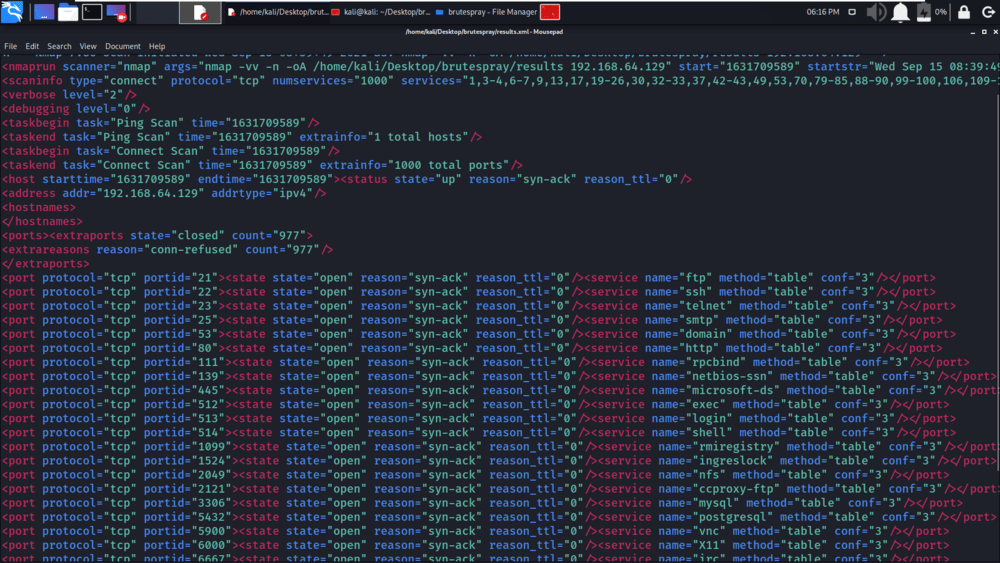
Example 5: Use Nmap XML Output
python3 brutespray.py --file results.xml --threads 5 --hosts 5
In this example, we will be using the XML file for scanning and brute-forcing.


Example 6: Brutespray Interactive Mode
python3 brutespray.py --file results.xml -i
In this example, we will be using the interactive mode of the tool Brutespray.


